Purchasing
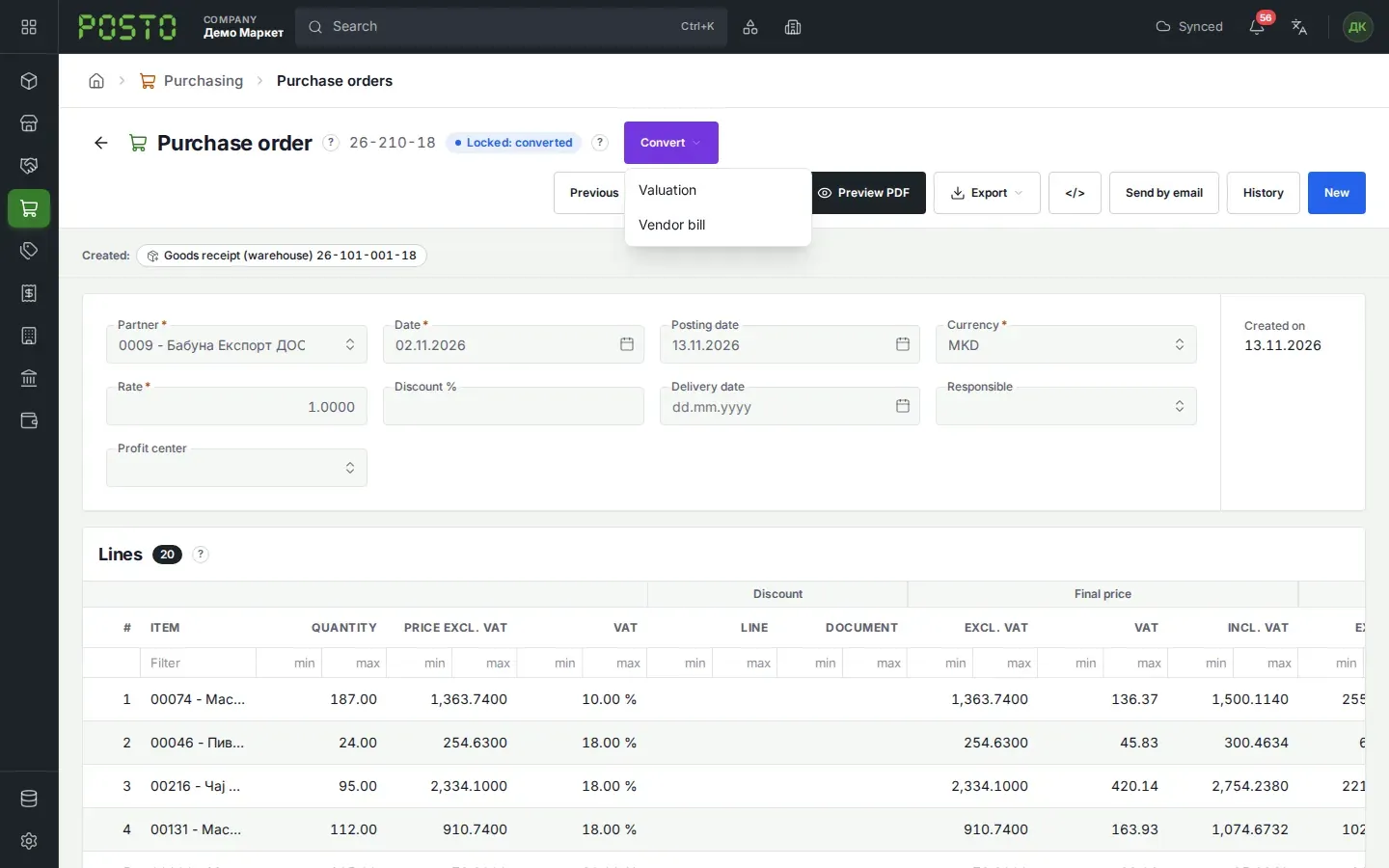
A purchase goes in order: purchase order, goods receipt, valuation and vendor bill. You make each document from the purchase order with Convert.
The purchase orders are in the Purchasing module. The goods receipts and the valuations are in the Inventory module. The vendor bills are in Purchasing and in Finance.
Purchase order
Section titled “Purchase order”The purchase order is what you order from the supplier.
What you need: the supplier in Partners and the goods in Items.
- Open Purchasing, then Purchase orders.
- Click New.
- In Partner, choose the supplier.
- With New line, add the items, the quantities and the prices.
- Click Save, then Confirm.
What you see next: the order is Confirmed. The Convert button shows the next documents.
Goods receipt
Section titled “Goods receipt”The goods receipt puts the goods into the storage.
- On the confirmed purchase order, click Convert, then Goods receipt.
- In the window, choose the Storage that the goods go into.
- Click Convert and open.
- Check the quantities that really arrived.
- Click Confirm.
What you see next: the goods receipt is Confirmed. The Source: strip shows the purchase order. The goods are in stock.
Valuation with landed costs
Section titled “Valuation with landed costs”The valuation calculates the purchase price of the goods. In it, you also add the landed costs: transport, forwarding, customs.
What you need: a purchase order with a confirmed goods receipt.
- On the purchase order, click Convert, then Valuation.
- Click Convert and open.
- If the supplier gave you an invoice, type the Invoice number and the Invoice date.
- Go down to the Landed costs part.
- Click Add cost.
- Choose Manual for a cost that you type in. Choose Vendor bill for a bill for a cost that is already in Posto.
- For a manual cost, fill in Currency, Rate, Item and Amount.
- In Allocation, choose how the cost is divided over the lines: by Total value or by Quantity.
- Click Add line, then Save.
- Click Confirm.
What you see next: in the lines, the Unit expense column shows the cost for each item. The Unit purchase price column shows the new purchase price.
Common problems:
- Valuation is not in the Convert menu: the goods receipt of the order is not confirmed yet.
- Manual costs change the purchase price, but Posto does not post them. Vendor bills for costs are posted through the valuation.
- An unconfirmed vendor bill does not count in the costs.
Vendor bill
Section titled “Vendor bill”The vendor bill is the invoice of the supplier for the goods.
- On the purchase order (or on the valuation), click Convert, then Vendor bill.
- Click Convert and open.
- Compare the amounts with the invoice from the supplier.
- Click Confirm.
Common problems: Vendor bill is in the menu at once. But Posto makes it only when the goods of the order have a confirmed goods receipt.