Cash book
In the Cash module you keep the cash of the company: each payment in and out, and the balance of the cash register.
- Cash receipts: cash that comes into the cash register.
- Cash payments: cash that goes out of the cash register.
- Cash book: the report with all the cash in and out and the balance.
Cash in or cash out
Section titled “Cash in or cash out”What you need: a cash register in Cash registers (under Master data of the module), and the partner that pays you or that you pay.
- Open Cash.
- For cash in, click Cash receipts. For cash out, click Cash payments.
- Click New.
- In Cash register, choose the cash register.
- In Partner, choose who pays you or who you pay.
- Check the Date.
- In Description, write what the money is for.
- In Amount, type the amount.
- Click Save, then Confirm.
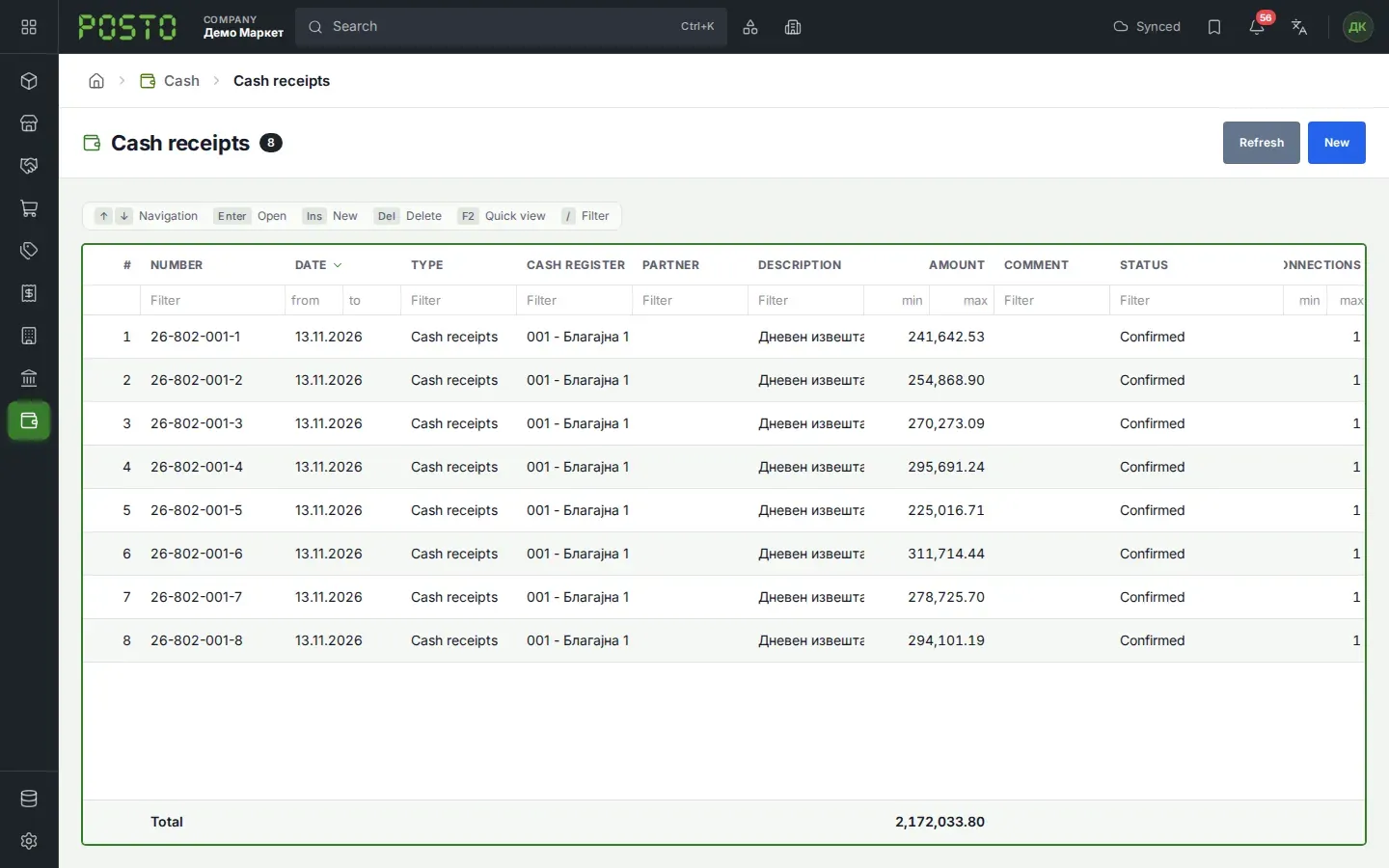
What you see next: the document is Confirmed and has a number. The amount is in the cash book.
Common problems: the message “Partner is missing.” when you click Confirm means that the Partner field is empty. Choose a partner and confirm again.
Cash from the till
Section titled “Cash from the till”When you confirm an end of day report of the till, Posto makes a Cash receipts document by itself.
- Open Retail, then End of day reports.
- Open the report with the status Unconfirmed.
- Check the amounts for each payment method.
- Click Confirm.
What you see next: the report is Locked: converted. The Created: strip shows the new cash receipt.
Cash book
Section titled “Cash book”The cash book shows the balance of one cash register for a period.
- Open Cash, then Cash book.
- In Cash register, choose the cash register.
- In From and To, choose the period. Posto gives the current month.
- Click Show.
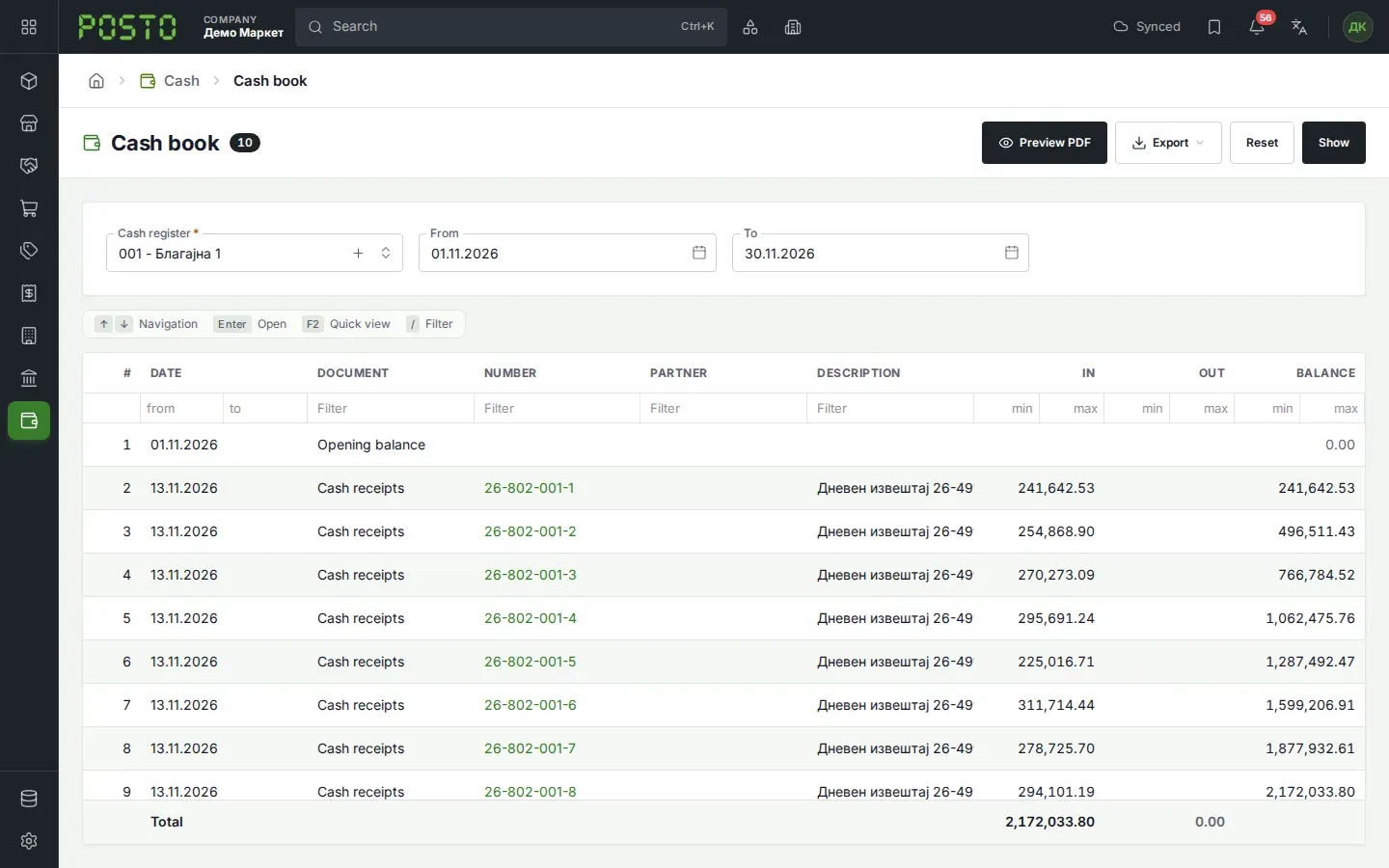
What you see next:
- The first row is the Opening balance.
- Then each confirmed payment in and out follows, with the columns In, Out and Balance.
- The last row is the Closing balance.
With Preview PDF you print the cash book. With Export you save it as a table.
Common problems: an unconfirmed payment is not in the cash book. Confirm it first.